Aihangsoft is a free browser-based alternative to Smallpdf for core PDF work. Merging, splitting, compressing, organising, encrypting and converting PDFs all run inside your own browser, so no file is uploaded and no account is needed. The limits are narrower format support, with no Office conversion or electronic signatures.
Smallpdf's free tier allows two documents per day and accepts files up to 100 MB each, and every task starts with an upload to servers in the EU. Its blog states those uploads are permanently deleted one hour after processing, which is a retention promise rather than a property of the tool. Aihangsoft has no daily count, no size limit on merging, splitting or converting, and nothing to delete because the file is never sent anywhere. Compression, encryption and unlocking stop at 50 MB per file.
If you are looking for a Smallpdf alternative, the trigger is usually the same: the free tier allows two documents per day, and the third one waits until tomorrow. The second reason is privacy, because every task on Smallpdf begins with an upload. This page compares the two tools honestly, including the cases where Smallpdf remains the better choice.
Why people hit the Smallpdf free limit
Smallpdf documents its own limits clearly, so there is no need to guess. Its blog states that the free version handles a maximum of two documents per day, after which you either upgrade to Pro or wait 24 hours for the counter to reset. Free use needs no registration, and a single file can be up to 100 MB.
Files are processed on Smallpdf servers rather than on your device. The same blog states that files uploaded to the free tools are permanently deleted one hour after processing, that servers are located in the EU, that transfers use TLS, and that the company states compliance with ISO 27001, GDPR, CCPA and nFADP. That is a credible setup, and the one-hour window is short by industry standards.
None of this is a defect. It is the normal cost structure of a server-based service, because someone has to pay for the CPU and bandwidth that process your document, and a two-document daily allowance is how a free tier keeps that bill survivable. The alternative model is to move the processing to the machine that already holds the file.
How Aihangsoft compares to Smallpdf
Aihangsoft runs the same category of PDF operations, but the work happens in your browser through WebAssembly modules: pdf-lib for merging and page operations, qpdf 11.7.0 for encryption and lossless compression, and PDF.js for rendering and text extraction. The file is read from your disk and written back to your disk, and no upload step exists in the code path.
| Dimension | Aihangsoft | Smallpdf |
|---|---|---|
| Where files are processed | In your browser, on your device | On Smallpdf servers after upload |
| Account required | No, for every PDF tool | No for free use, required for Pro |
| Daily limit | None | 2 documents per day on the free plan |
| Free single-file limit | No limit on merge, split, organise, convert | 100 MB |
| Batch processing | Included, no upgrade | Tied to the paid subscription |
| Office to PDF | Not supported | Supported |
| Electronic signature | Not supported | Supported |
| PDF to JPG and PDF to text | Supported, no size limit | Supported |
| Apps and extensions | No, web only | Windows desktop, iOS, Android and a Chrome extension |
| Encryption offered | AES-256 only | Password protection as part of the PDF tool |
| Price for the full feature set | Free | Pro and Team subscriptions billed per user per month, with the price varying by region and billing period |
The table is not an argument that one product is strictly better. It lists the axes that matter when you choose, and on format support and apps, Smallpdf is clearly ahead.
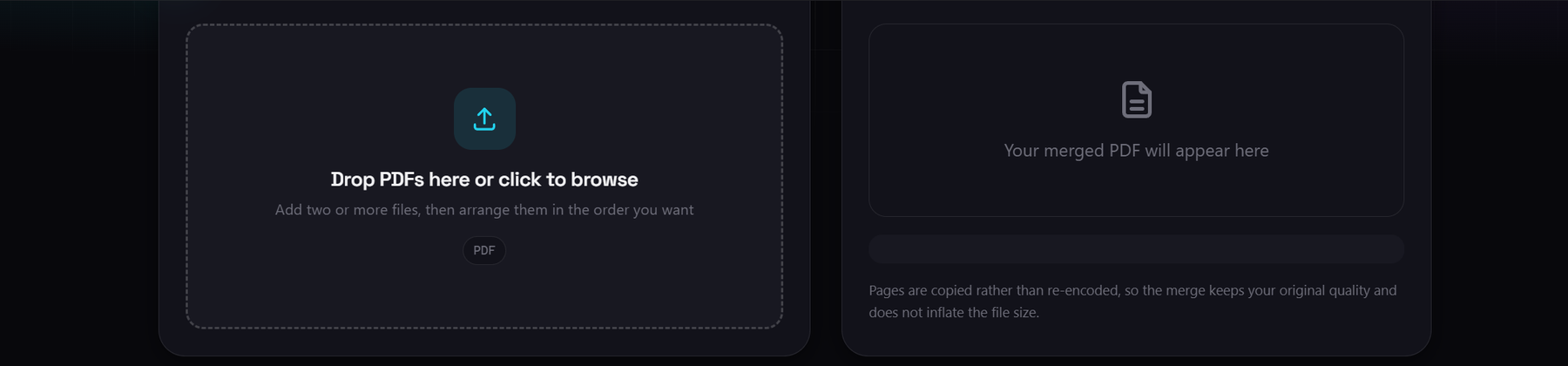
Merge PDF
Combine several PDFs into one file in your browser, with no file size limit and no upload.
What the local model changes in practice
The clearest way to see the difference is to watch your network activity. With a server-based tool, choosing a file starts an upload of the entire document before any processing begins, which on a slow connection is the longest part of the job. With Aihangsoft, processing starts immediately because there is nothing to transfer.
The second effect is on limits. Upload bandwidth and server CPU are the resources a server-based service has to ration, and that is what a two-document daily allowance protects. When the work happens on your own machine, the only ceiling is your device's memory, which is why the same tool can be run all afternoon.
- No waiting on uploads. A 100 MB scan starts processing the moment you select it.
- No daily counter. The same document can be merged, split and compressed in one session.
- Nothing to delete. There is no server-side copy, so there is no one-hour retention window to trust.
- Offline after the first load. Once the page and its modules are cached, the tools keep working without a connection.
Where Smallpdf is still the better choice
Being honest about this part is what makes the rest of the page worth reading. There are workloads where Smallpdf is the right answer and Aihangsoft cannot help at all.
Office documents and e-signatures
If your file is a .docx, .xlsx or .pptx, Aihangsoft cannot open it, because faithful Office rendering needs a full layout engine that does not run comfortably in a browser tab. Smallpdf converts those formats and also supports electronic signatures in its own workflow. If either is central to your job, use Smallpdf for that step.
Apps on a phone or a desktop
Smallpdf ships a Windows desktop app, iOS and Android apps, and a Chrome extension. Its macOS desktop app has not been supported since 2021-10-01, so Mac users rely on the browser or the mobile apps. Aihangsoft is web only, although the web version works in mobile browsers and offers no install step.
Moving a PDF task from Smallpdf to Aihangsoft
There is no account to create and no import step, so migration is really just doing the task once in a different tab.
- Pick the matching tool. Merge PDF, Split PDF, Compress PDF, Organize PDF, Protect PDF, Unlock PDF, PDF to JPG, Image to PDF and PDF to Text cover the same ground as Smallpdf's core PDF set.
- Select or drop your file. The file is read locally. On a large document you can confirm this by watching your network monitor, which stays flat.
- Set the options and run. Splitting supports page ranges such as 1-3, 5, 8-10, one file per page, or one file per fixed chunk. PDF to JPG offers 72, 150 and 300 DPI with a JPG quality slider from 50 to 100.
- Download the result. The output is written straight to your downloads folder. Split and image outputs arrive as individual files rather than a ZIP, with a single Download all button for the whole set.
Limits of the Aihangsoft PDF tools
These are enforced in the browser and are listed here so nothing is a surprise later. Smallpdf's free plan, for comparison, accepts files up to 100 MB.
| Tool | Limit | Reason |
|---|---|---|
| Compress PDF | 50 MB per file, lossless only | qpdf needs the whole document in memory and does not re-encode images |
| Protect PDF | 50 MB per file, AES-256 only | qpdf 11.7.0 refuses to write weaker encryption such as RC4 |
| Unlock PDF | 50 MB per file | Same qpdf memory constraint |
| Split PDF | 200 output files per run | Browser download limits |
| PDF to JPG | 40 megapixels per page | Canvas rendering limit at high DPI |
| Merge, Organize, Image to PDF, PDF to Text | No size limit | Page data is copied, not re-encoded |
Three further details are worth stating. Compression here is a lossless structural rewrite, so a small, already-optimised PDF can come out slightly larger, and only the Standard and Maximum levels are offered, with no image downsampling. Passwords for Protect PDF must be at least 4 characters and always use AES-256, because qpdf 11.7.0 will not write the older, weaker schemes. And PDF to Text reads the embedded text layer first, falling back to OCR only for pages that hold almost no extractable text, which means a photographed page is recognised while a digital one is extracted exactly.