Image Cropper
Cut any photo down to the part that matters. Drag the crop frame, lock an aspect ratio such as 1:1 or 16:9, straighten the image with a 90 degree rotate, then download the crop at full resolution. Your pictures stay on your device the whole time.
Add your photos
JPG · PNG · WebP · AVIFDrop photos here or click to browse
Add several to crop a whole batch with the same frame
Crop
Add a photo to startYour crop frame will appear here
The crop is taken from the original pixels, so nothing is upscaled and the sharpness of your photo is kept.
How to crop an image
Add your image
Drop a photo or click to browse. Add several if you want to crop a batch with the same frame.
Set the crop frame
Drag the frame and its handles to the area you want. Pick an aspect ratio to lock the shape, or rotate the image if it is sideways.
Download the crop
Pick PNG, JPEG or WebP, then download the current crop or export the whole batch at full resolution.
Why use Aihangsoft Image Cropper
Exact frames, exact ratios
Eight resize handles plus a movable frame. Lock 1:1, 4:3, 3:2, 16:9 or 9:16 and the shape holds while you drag.
100% private
Cropping happens on a canvas in your browser. Your photos are never uploaded, stored or queued on a server.
Free, no sign-up
No account, no watermark added by us and no per-image fee. Crop up to 30 photos in one batch, and run as many batches as you like.
Built for everyday cropping work
Profile pictures and social posts
Switch to 1:1 for avatars, or 16:9 and 9:16 for feed images and stories. The locked ratio means you never end up with an off-centre square again.
Use case: avatars, social media, thumbnailsProduct and listing photos
Cut out the cluttered background around a product and keep a consistent frame across a whole catalogue, then export everything in one pass.
Use case: e-commerce, marketplaces, cataloguesStraighten a sideways photo
A shot taken in the wrong orientation is fixed with one click. Rotate in 90 degree steps and flip horizontally or vertically before you crop.
Use case: phone photos, scans, screenshotsResize the crop on export
Set an output width and the crop is scaled down proportionally, so a 4000 px photo becomes a 1080 px post without a separate resize step.
Use case: web publishing, email, faster uploadsBefore and after a crop
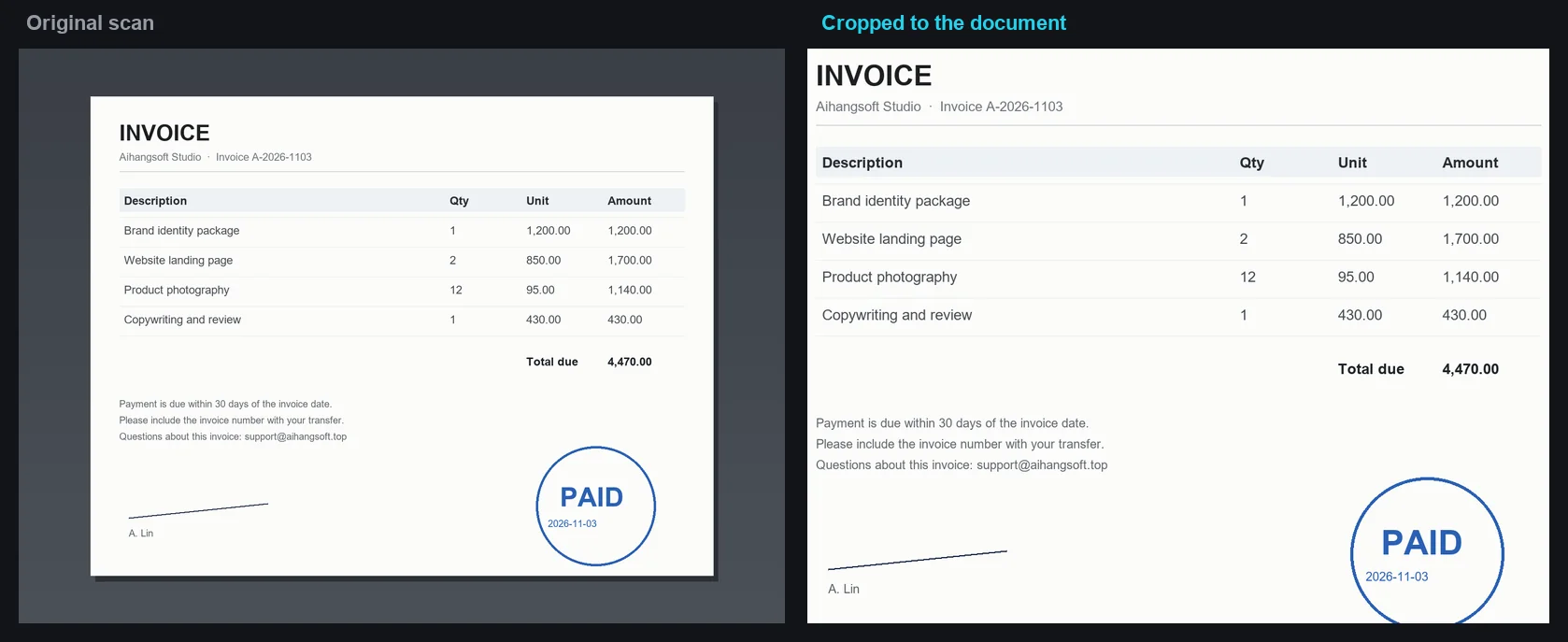
How it works and where your file goes
- Engine
- The image is transformed with the browser Canvas API, and the draggable crop frame is handled by Cropper.js.
- Data location
- Everything runs in this browser tab. The file is never uploaded to a server.
- Verify it yourself
- Start a job here and watch the browser network panel: no request carries your file. How to check any online tool.