Image to PDF
Turn photos, scans and screenshots into one PDF. Add your images, drag them into the page order you want, then choose the page size, orientation, margin and fit. JPG and PNG files are embedded as they are, other formats are converted in the browser first. Your images are read on your device and never leave it.
Add your images
JPG, PNG, WebP, GIFDrop images here or click to browse
Add as many as you need, then arrange them in the order you want
Result
Add images to startYour PDF will appear here
JPG and PNG files are embedded without re-encoding. WebP, AVIF, GIF and BMP images are converted to PNG or JPEG in your browser first, because PDF pages can only carry those two formats.
How to convert images to PDF
Add your images
Drop one or more images into the tool, or click to browse. They are decoded on your device, so nothing is uploaded.
Set the pages
Drag the cards into order, then pick the page size, orientation, margin and how each image should sit on its page.
Create and download
Click Create PDF, check the reported page count and file size, then download the document.
Why use Aihangsoft Image to PDF
More than JPG and PNG
JPG and PNG are embedded as they are, while WebP, AVIF, GIF and BMP are converted in the browser before they go into the PDF.
Full control over the page
A4 or Letter, portrait or landscape, four margin sizes, and contain or cover fitting, so a scan pack and a photo album can follow different rules.
Order it your way
The list order is the page order. Drag a card or use the arrows, and the PDF is built in exactly that sequence.
Built for everyday document work
Scans and receipts as one file
Phone photos of paper forms, invoices or ID pages become a single tidy PDF that is much easier to send to an office than fifteen separate images.
Use case: expenses, admin, applicationsA photo album you can print
Choose A4 with a medium margin and contain fitting, and holiday photos come out as neat pages with even white borders instead of stretched images.
Use case: photos, gifts, photo booksMockups and screenshot packs
Screenshots of different widths can be placed with cover fitting so every page fills the sheet, which reads better in a design handover or a bug report.
Use case: designers, developers, QAMixed formats in one document
A folder holding a JPG, a PNG with transparency and a WebP can be merged into one PDF without converting anything by hand first.
Use case: mixed downloads, archivesA4, Letter, or fit to the image
- A4
- 595.28 by 841.89 points, the standard in most of the world. Every image is placed on an A4 sheet, so a batch of mixed shapes ends up with one consistent page size.
- Letter
- 612 by 792 points, the US standard. Pick it when the file will be printed or filed in North America, otherwise pages may be scaled or clipped by the printer.
- Fit to image
- The page shrinks or grows to match the picture. The long edge is set to 842 points, which is very close to the long edge of A4, so a portrait photo comes out as a page shaped like itself instead of sitting in a fixed frame.
- Orientation
- Auto follows the image, Portrait and Landscape force the sheet. Forcing a direction on a mixed batch is the usual reason a landscape photo ends up small in the middle of a tall page.
Contain or cover: two different promises
- Contain
- The whole image is placed on the page and whatever space is left stays blank. Nothing is lost, which is why it is the default for documents, receipts and anything that will be read or archived.
- Cover
- The image fills the page and the overflow is cut away. It looks tidier for photo books and cover sheets, but edges of the picture are gone in the output.
- Interaction with margins
- Cover is measured against the area inside the margins, not the full sheet. A large margin with cover crops more than a small margin with cover, so set both before converting.
Margins are measured in points
- Four settings
- None is 0, Small is 18 points (about 6.4 mm), Medium is 36 points (about 12.7 mm) and Large is 54 points (about 19 mm). Points are the same unit PDF uses for page geometry, so these values mean the same thing at any DPI.
- What they cost
- Margin space comes out of the picture area. On an A4 sheet, Large leaves noticeably less room than None, which matters for dense scans where small print has to stay readable.
- When to use them
- A margin gives the page room to breathe and leaves space for printing that gets trimmed. For a pure image dump or a screenshot set, None is the better default.
Why the PDF can be bigger than the images
- JPEG is re-encoded
- JPEG input is written into the PDF at a fixed quality of 0.92 rather than being copied byte for byte. The output is visually close, but it is a new encode, so the page can weigh more than the file you started with.
- Other formats are transcoded first
- WebP, AVIF, GIF and BMP are converted through a canvas before being placed. That conversion is lossless only where the target allows it, and animated GIFs arrive as a single frame.
- Page overhead
- Each page adds its own objects and resources. A hundred small images can produce a PDF with more structural overhead than a handful of large ones, which is normal rather than a fault.
- Order follows your list
- Pages are built in the order the images appear, so reorder the list before converting if the sequence matters. Fixing it afterwards means starting over.
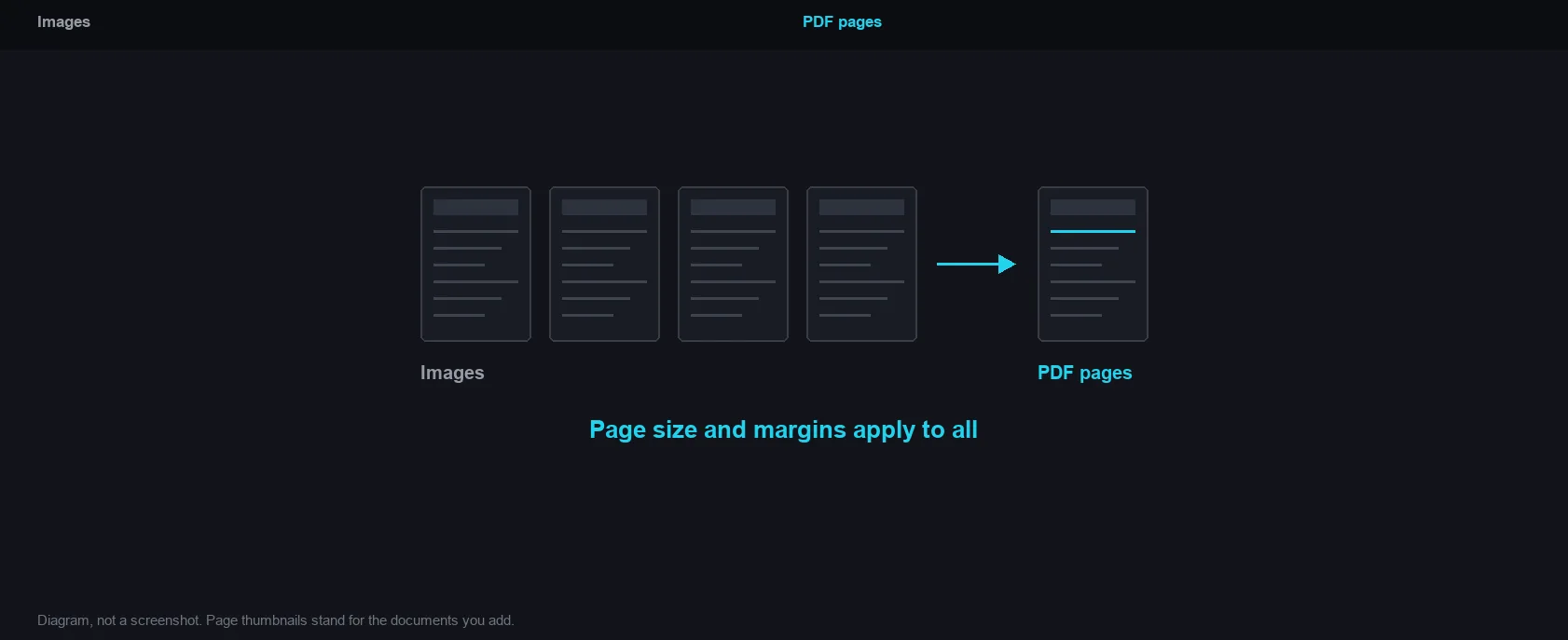
Page size and margins apply to all
How it works and where your file goes
- Engine
- pdf-lib 1.17.1 places each image on an A4 or Letter page and writes the PDF structure.
- Data location
- Everything runs in this browser tab. The file is never uploaded to a server.
- Verify it yourself
- Start a job here and watch the browser network panel: no request carries your file. How to check any online tool.